Learn Gangnam Style1.1
Publisher Description
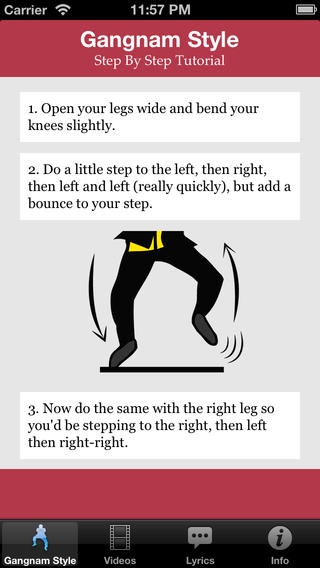
Quick Learn Gangnam Style dance
Follow easy step-by-step instructions with pictures
10+ Gangnam Dance Video Tutorials
20+ Psy Gangnam live concert and other videos
Gangnam Song English Lyrics
Quick iTunes Buy Link for Gangnam Style Single
About Gangnam Style -
"Gangnam Style" (Korean: ) is a K-pop single by South Korean musician PSY. The song was released on July 15, 2012, as the lead single of his sixth studio album PSY 6 (Six Rules), Part 1. "Gangnam Style" debuted at number one on the Gaon Chart, the national record chart of South Korea. As of December 4, 2012, the music video has been viewed over 884 million times on YouTube, and is the site's most watched video after surpassing Justin Bieber's single "Baby."
Copyrights -
PSY - Gangnam Style and Pose of Horse Riding,
owned by YG Entertainment
and Universal Republic Records.
This is an Unofficial Gangnam Style App.
We're a HUGE fan of Gangnam Style - Psy.
This app is just for fun. (fan app)
We hope this app helps Psy rule the world!
Requires iOS 6.0 or later. Compatible with iPhone, iPad, and iPod touch.
About Learn Gangnam Style
The company that develops Learn Gangnam Style is Namit Gupta. The latest version released by its developer is 1.1.
To install Learn Gangnam Style on your iOS device, just click the green Continue To App button above to start the installation process. The app is listed on our website since 2012-11-30 and was downloaded 9 times. We have already checked if the download link is safe, however for your own protection we recommend that you scan the downloaded app with your antivirus. Your antivirus may detect the Learn Gangnam Style as malware if the download link is broken.
How to install Learn Gangnam Style on your iOS device:
- Click on the Continue To App button on our website. This will redirect you to the App Store.
- Once the Learn Gangnam Style is shown in the iTunes listing of your iOS device, you can start its download and installation. Tap on the GET button to the right of the app to start downloading it.
- If you are not logged-in the iOS appstore app, you'll be prompted for your your Apple ID and/or password.
- After Learn Gangnam Style is downloaded, you'll see an INSTALL button to the right. Tap on it to start the actual installation of the iOS app.
- Once installation is finished you can tap on the OPEN button to start it. Its icon will also be added to your device home screen.
